![shortlistme-logo-whiteout-2.png]](https://4019327.fs1.hubspotusercontent-na1.net/hub/4019327/hubfs/Shortlist.Me/shortlistme-logo-whiteout-2.png?height=40&name=shortlistme-logo-whiteout-2.png)
This guide provides a comprehensive overview of the processes involved in creating, structuring, and managing Questionnaire (Assessment) activities for candidates. It serves as a valuable resource for Account Holders on the hunt for clear guidance on expectations, behaviour, scoring, and reporting.
Purpose of a Questionnaire (Assessment)
A Questionnaire is a flexible tool used to evaluate candidates in a structured way. It can be applied in different recruitment and compliance scenarios, such as:
- Pre-interview assessments to evaluate skills and readiness before progressing a candidate.
- Right-to-work verification to confirm eligibility before interviews.
- Behavioural fit checks to determine alignment with company values and role requirements.
Types of Questionnaire Activities
There are two primary activity types:
Assessed Activities (Main Application)-
- Used for formal evaluation.
- Includes scoring at the question, section, and overall assessment levels.
- May determine whether a candidate progresses to the next stage.
-
- Used for candidate self-evaluation or preparation.
- Feedback is given instantly upon completion.
- No scores are recorded in the system for progression decisions.
Question and Answer Formats
Questions are customizable and can be enhanced with media elements such as images, audio, or video. This feature enables assessments to more effectively simulate real-world scenarios, measure comprehension of multimedia content, and provide additional context for candidates.
A questionnaire may consist of a single section or multiple sections with different question types, and candidates have the option to either answer or skip each question.
Single and Multiple Sections
Supported Answer Formats:
Two response formats are supported: multiple choice and written answers. For each question, an optional time limit can be configured, ranging from 15 seconds to 60 minutes, to meet specific assessment requirements.
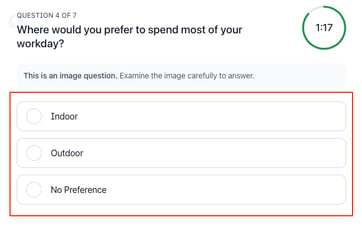
Multiple Choice Questions
- Candidates select from predefined options.
- Each option can be assigned specific points, including 0, based on your preferred configuration.
Written Assessment Questions
Two formats are available:
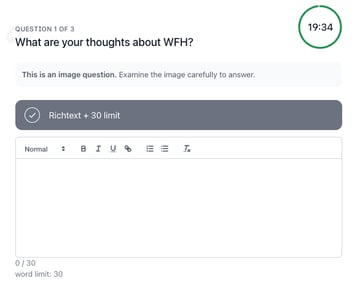
- Rich-Text
- Supports formatted input (bold, italic, underline, hyperlinks).
-
- Text box expands as the candidate types.
-
- Pasting text is not allowed.
-
- (Optional) Enforced word limit - if exceeded:
- The submit button is disabled.
- (Optional) Enforced word limit - if exceeded:
-
-
- Warning message displayed.
-
-
-
- Word count indicator turns red.
-
-
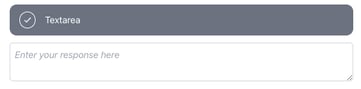
- Fixed-size text box (expandable by candidate).
- Pasting text is allowed.
Scoring and Evaluation
Scoring and evaluation methods vary based on the assessment type, with different rules for assessed and self-assessed activities.
For Assessed Activities:
A Pass or Fail indicator is provided at both section and overall assessment levels, clearly reflecting whether the candidate has achieved the required threshold score.
- Question-level scoring: Each question can have a different assigned point value.
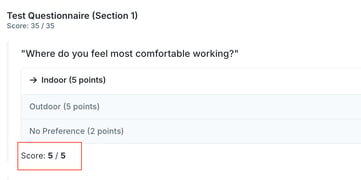
- Section-level scoring: Sections can be weighted differently depending on the assigned score value. Each section shows the candidate’s earned points over the total score for that section. Sections are collapsible, allowing users to view a detailed breakdown of the questions and the candidate’s answers.


- Overall score: The total score is calculated based on all sections and questions. On the left side displays the candidate’s overall earned points compared to the total possible score for the assessment, while on the right side shows the corresponding percentage value.
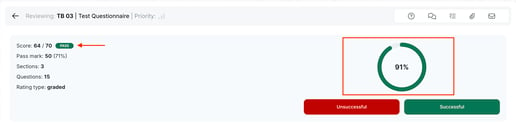
- Scores are visible to Account Holders but not to candidates.
For Self-Assessed Activities:
- No formal scoring is recorded in the system.
- Candidates receive instant feedback for self-improvement.
Feedback Report
Account Holder's View:
- Accessed via the ‘Results’ button in the ‘Reviewed’ tab.
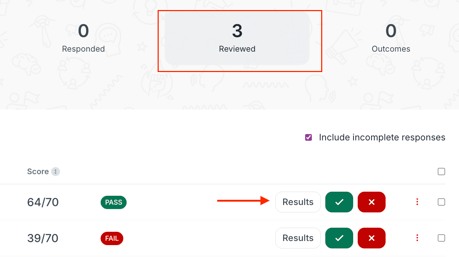
- Contains a detailed breakdown of:
- Candidates' assessment performance.
-
- Word count, typing speed, and error count (for written responses).
-
- Question, section, and overall scores (for assessed activities).
Candidate's View:
For Assessed Activities:-
- No scores or downloadable reports are provided to candidates. This ensures the integrity of the assessment by preventing the sharing of test content or results, thereby maintaining fairness for all
-
- Candidates are prompted to close the window upon completion.
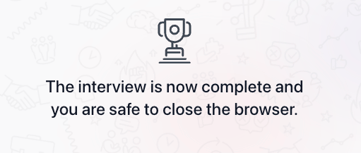
- Candidates are prompted to close the window upon completion.
- For Self-Assessed Activities:
- A feedback report is generated instantly upon completion of the assessment and is available for download as a PDF
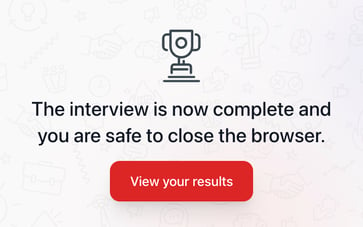
- A feedback report is generated instantly upon completion of the assessment and is available for download as a PDF